Motion Capture on the Cheap
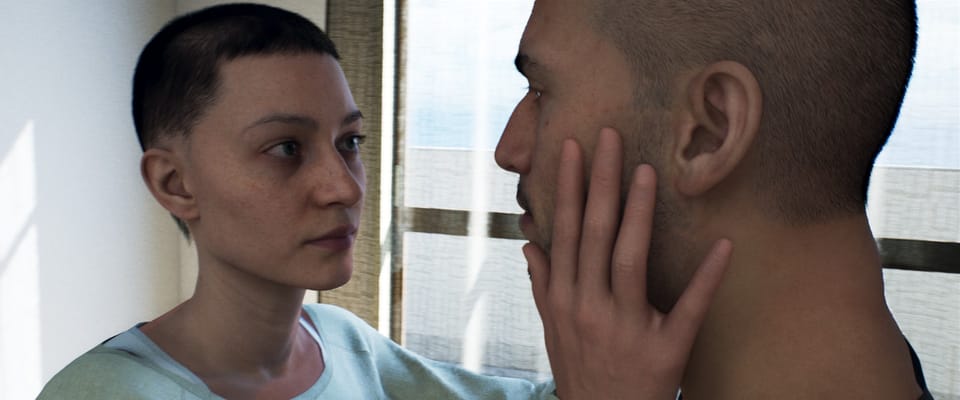
The simplest and most time consuming way to animate this movie would be to shoot reference videos and manually key-frame the whole thing. This is what I did for an earlier video. On that project, I just synced the reference video to my animation sequence and went after it, a few frames at a time.
I knew it would be tedious and difficult, but I was still surprised by the challenge. Attempting to capture the full nuance of the human body and face made it clear to me that I have no intuition for how our anatomy actually works. A three second shot of two hands typing took me days to animate. Even when a person is sitting and seemingly immobile, they fidget and shift and sway repeatedly.
It helps that, for a movie, there are only 24 frames a second to worry about. Other cinematic aesthetics, like motion blur and shallow depth of field, can help hide imperfect animation. With these constraints in mind, I think the MetaHuman control rig is intricate enough to create human-like performances. But for this project, a 15-minute short film, animating everything by hand is just too slow. Maybe if I were content to chip away at it for the next three years, but even then, it would be a completely inefficient use of my time.
Most 3D productions aiming to portray human-like movement use motion capture.
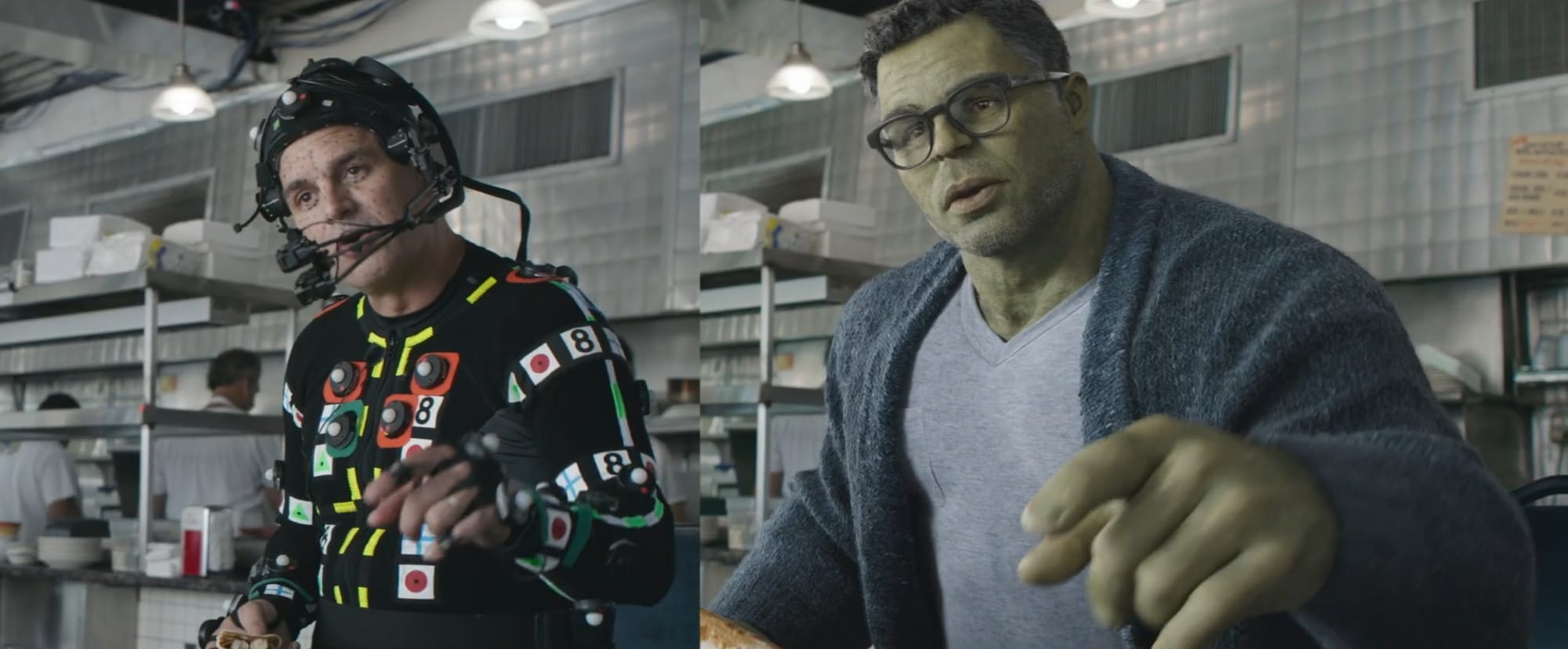
But, even a professional mocap studio with top-end equipment can't capture human motion flawlessly. The actor's performance, when translated into XYZ coordinates for a 3D control rig, is littered with imperfections that require cleanup. Then, trained animators will often do an additional pass to enhance certain details and breathe life into the character where the captured data falls short. But, in general, this overall process is still faster than animating from scratch.
I don't have the budget to book a proper motion capture studio. However, there are a range of inexpensive AI-powered mocap services, designed to work from a simple video. I decided to try a couple, MoveAI and QuickMagic. Both services were easy to use. I stood my iPhone on a tripod and shot a vertical video that captured me from head to foot, recorded a 10-second performance, and uploaded it. It only took about 5-10 minutes for them to generate the 3D animation.
This is the reference video for one of the shots I aimed to recreate:
Just to be clear, this is not the clip I uploaded to MoveAI and QuickMagic. I shot those myself, following this tutorial. I recorded each actor's performance in separate videos and tried to imitate them as best I could.
Considering the low cost and simple setup, the motion data both services created was impressive, but still nowhere near good enough. Because the cheapest tier of these AI-mocap services can only handle a single actor per capture, I had to shoot the two performances separately and join them in Unreal Engine. Lining up the characters' bodies would require large adjustments. On top of that, I would need hours of cleanup and tweaking to make a realistic animation.
The question was, would it still save time compared to animating from a blank timeline?
MoveAI and QuickMagic
MoveAI's cheapest subscription tier ($15/mo) offers only one motion capture algorithm. QuickMagic's lowest tier ($9/mo) had two options available, v1 and v2. Version 2 was in beta at the time, and offered better quality than v1 for twice the cost in credits. So, for this particular shot, I ended up with three mocap animations for each actor in the scene, MoveAI, QuickMagic v1, and QuickMagic v2:
Then, I used Unreal Engine's simple Re-target Animation feature to transfer the animation to the MetaHumans.
First, I had to deal with the most glaringly obvious problems...
For some reason, QuickMagic seems to drop the mannequin's knee into the ground when it kneels, then pop it into the air as it turns. This was an easy fix, I just found the spot in the animation curve where the character flies, and cut those keyframes:
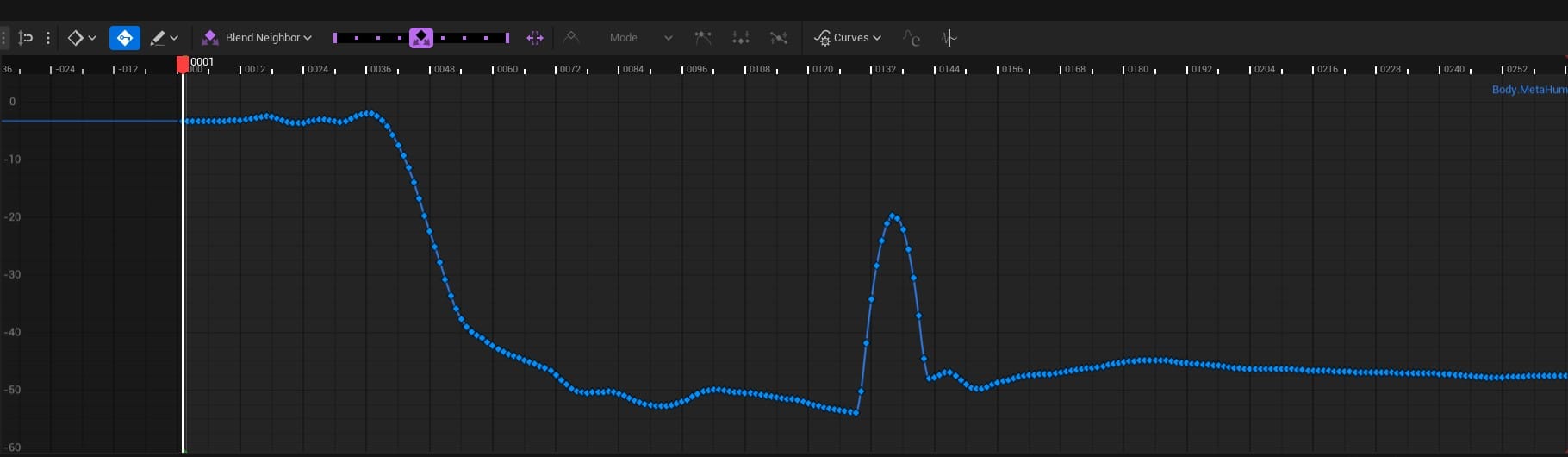
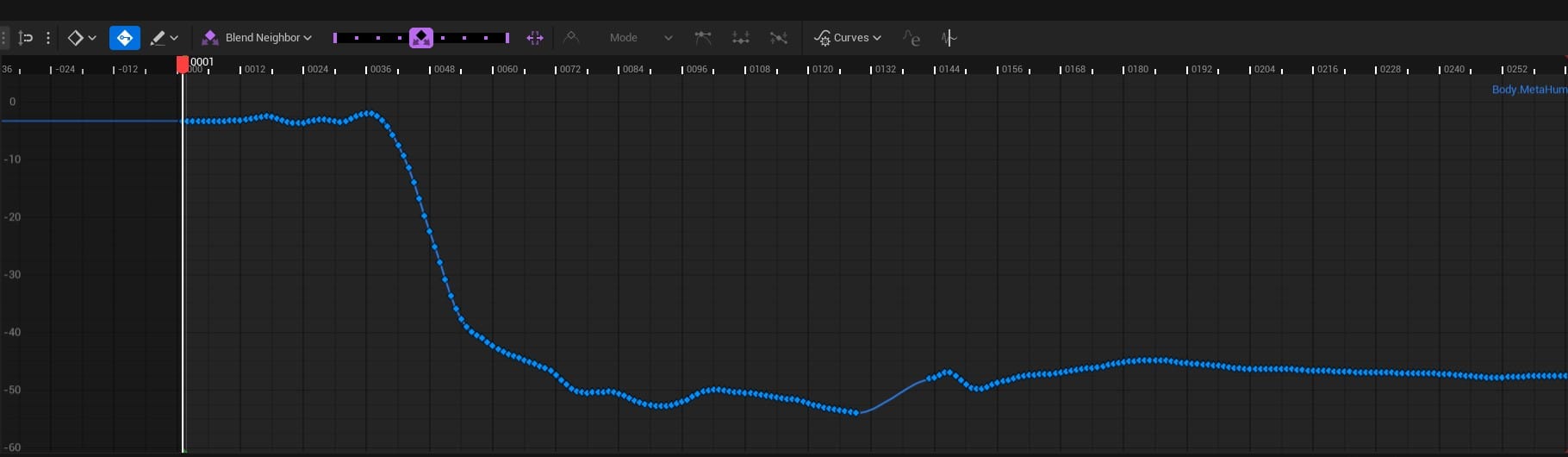
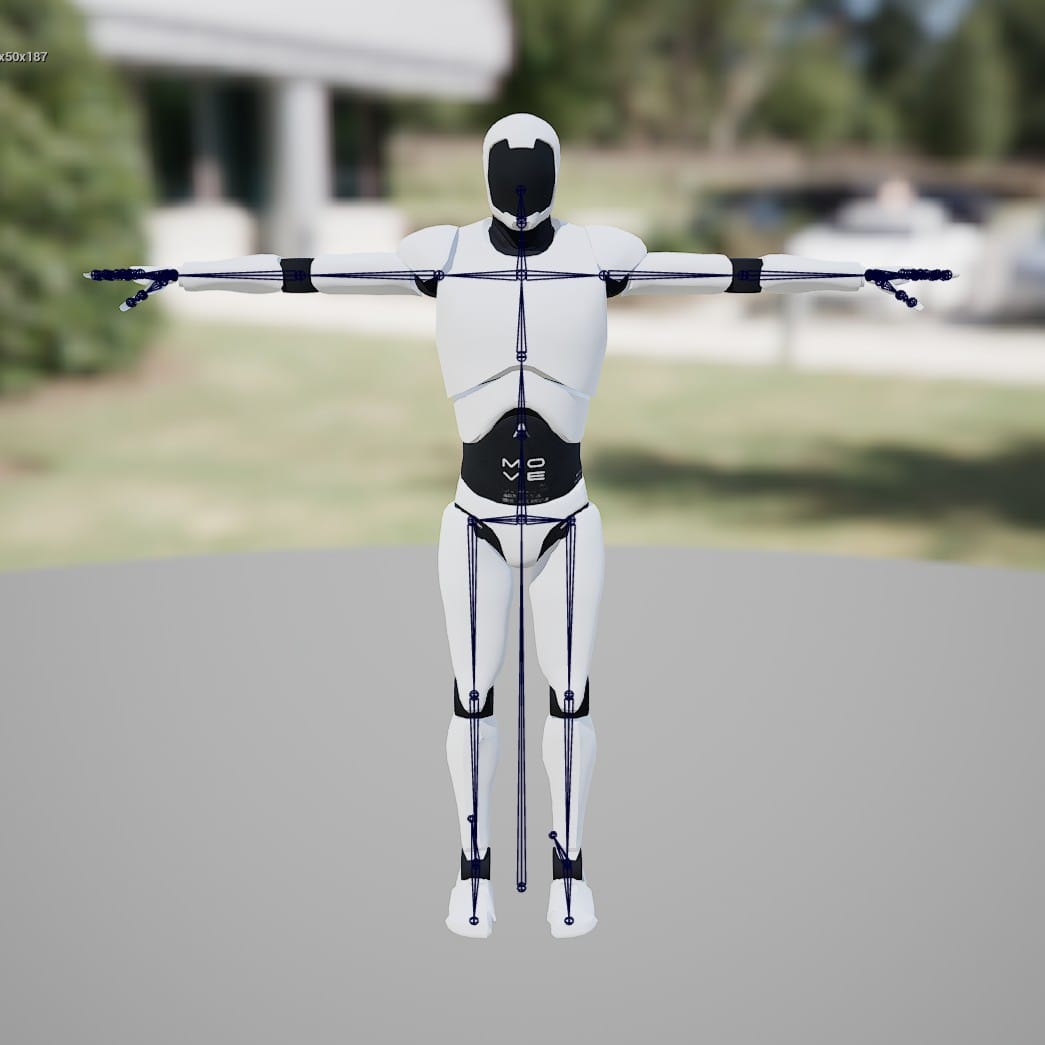
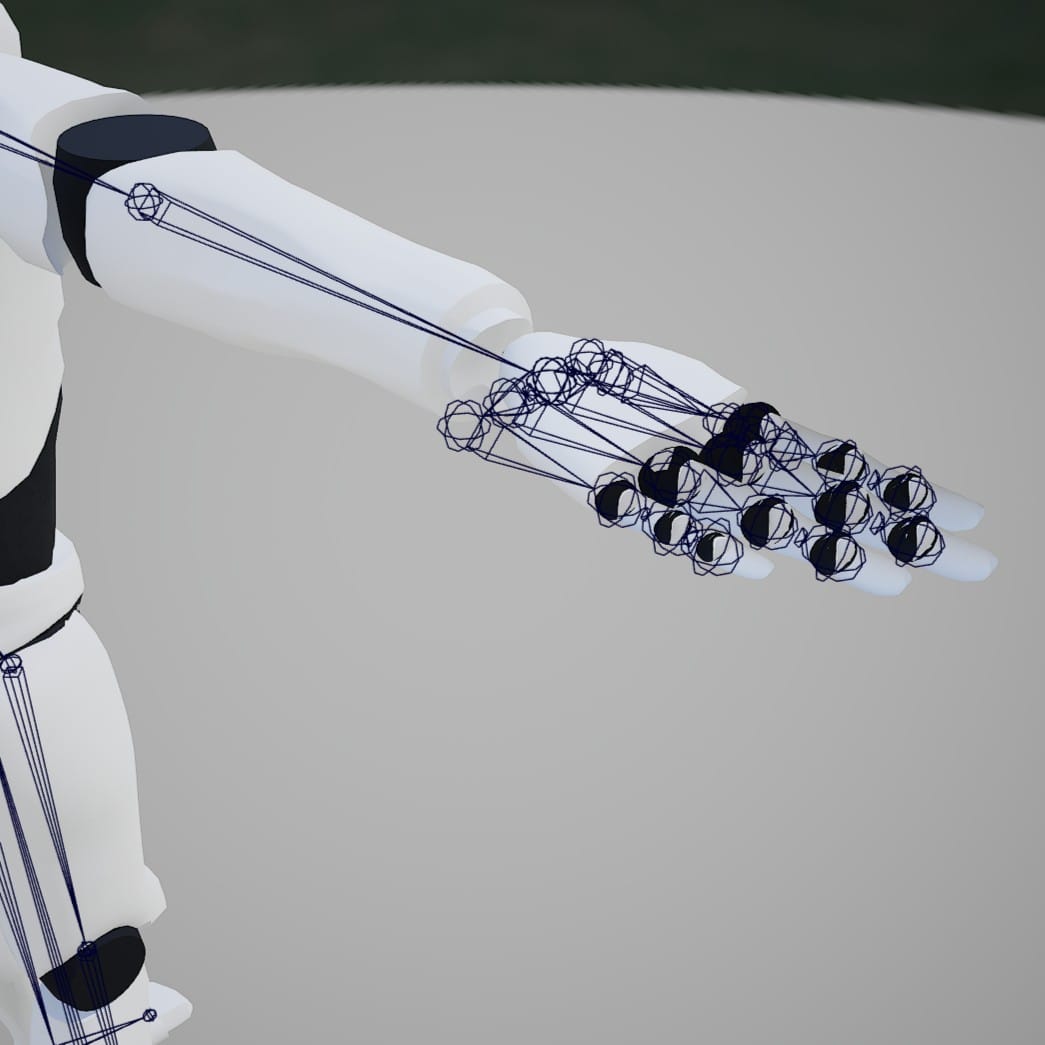
Also, something went seriously wrong with the hands on the re-target from the MoveAI mannequin to the MetaHuman. After digging around, I noticed that the "palm" bones on the MoveAI mannequin skeleton were out of place:
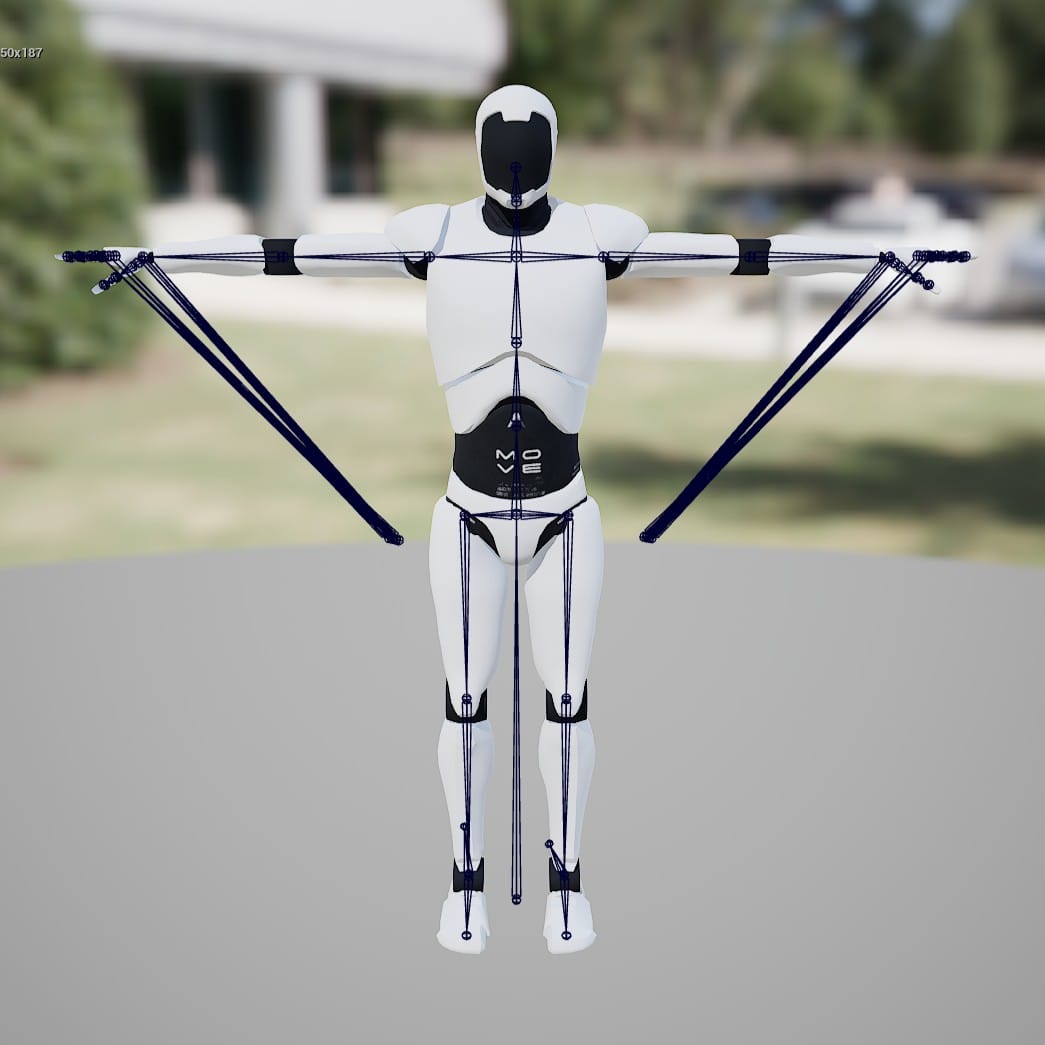
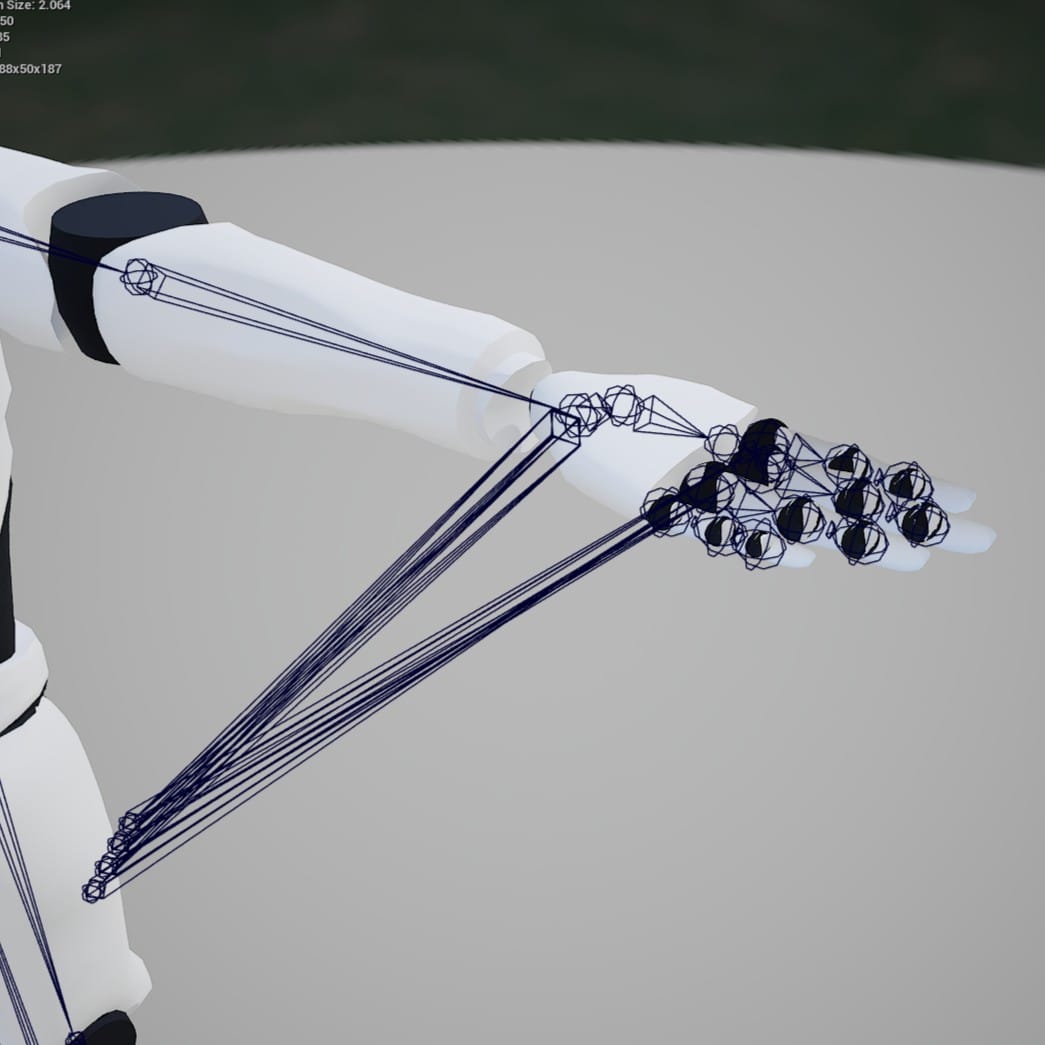
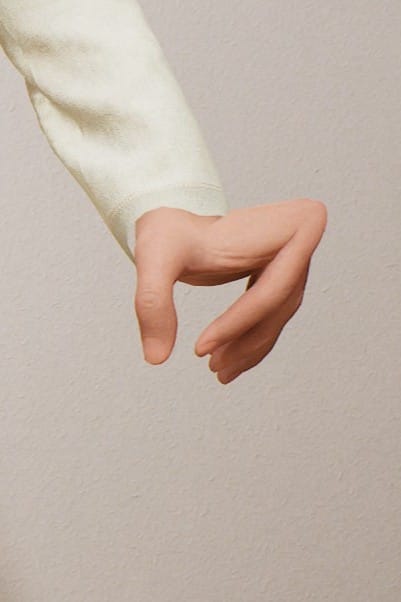
I adjusted their position using the Skeletal Mesh Editor, and this greatly improved the shape of the hands on the re-targeted MetaHuman.
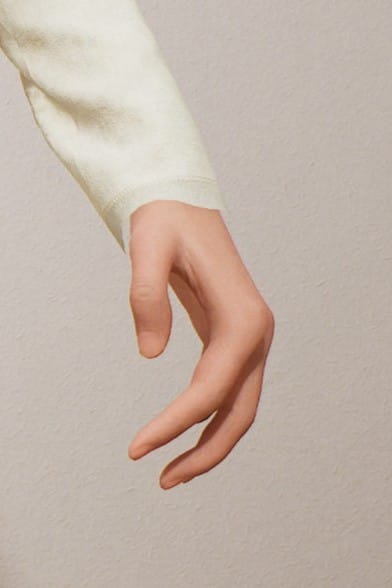
With the most distracting problems out of the way, I could judge the quality of the motion capture. All three animations have issues in the hands, but QuickMagic v2 did the best job:
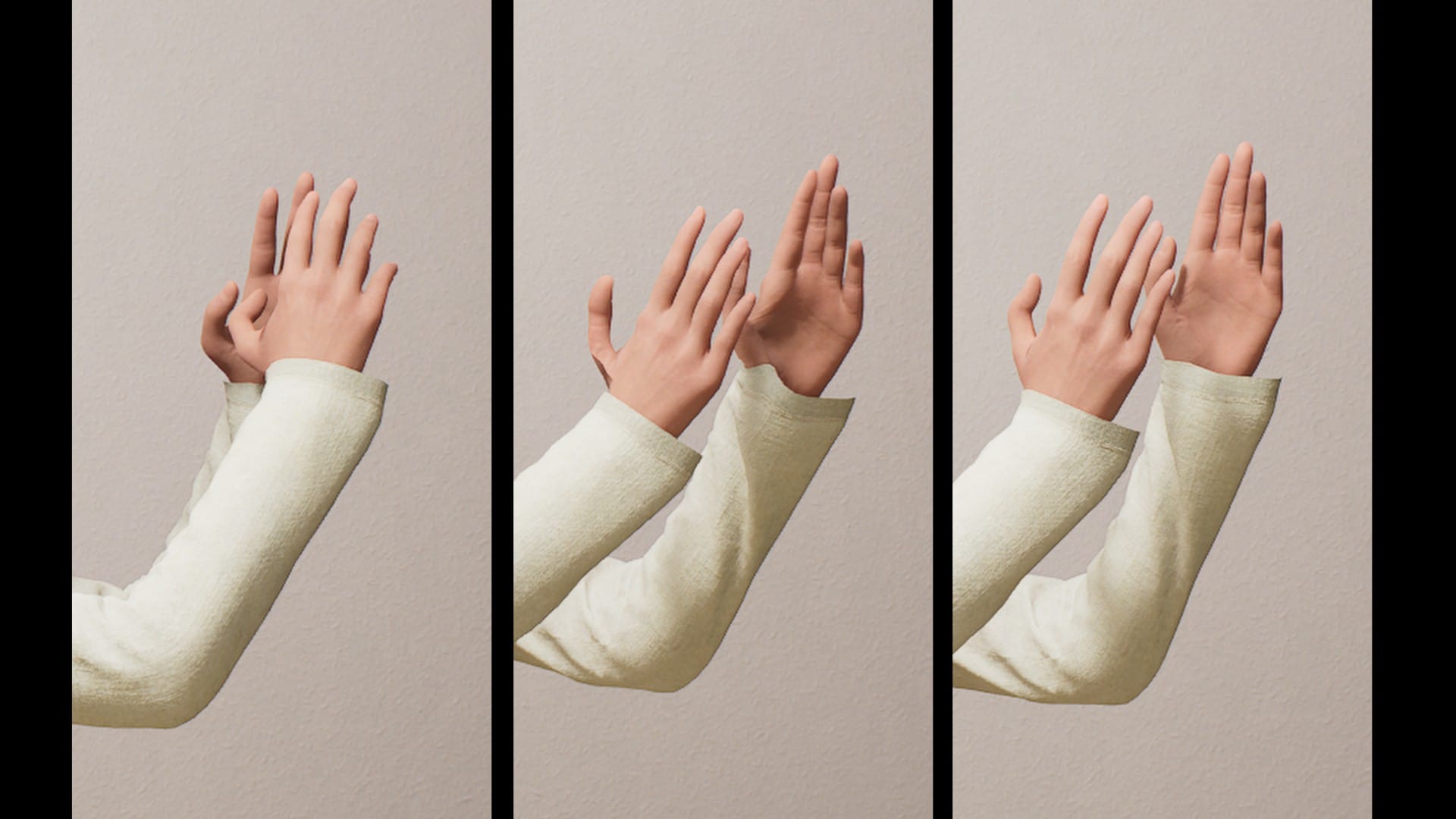
The QuickMagic animations are more stable (once the weird bounce was fixed). MoveAI had more jitters/noise, but to me, it also felt the most natural and human. Here is an example from a different shot, again comparing MoveAI and QuickMagic v2:
Left: MoveAI, Right: QuickMagic v2
I decided to use MoveAI as my base, and copy only the finger animation from the QuickMagic v2 capture.
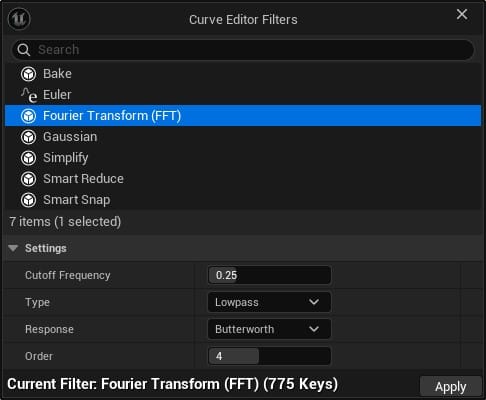
Curve Editor Filters
Now I needed to clean up the jittering in the MoveAI data. Fortunately, Unreal Engine has some efficient filters to help with this.
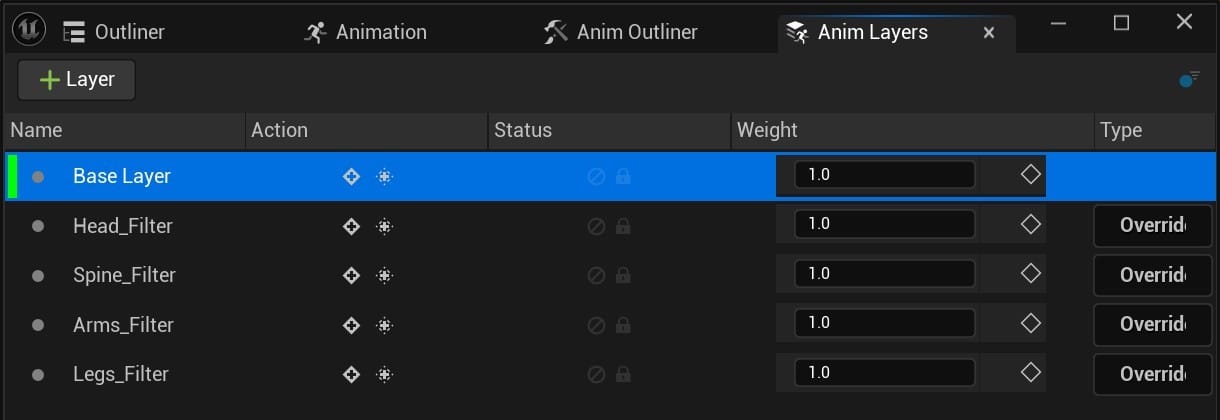
Because I wanted to preserve the original motion capture data, I used "Override" animation layers to apply the filters. I created four layers: one layer for the head control, one for the body, spine, and neck controls, one for the arms, and one for the legs. I then copied in the keyframes from the Base layer. This way, after applying the filters to the Override layers, I could use the Weight control to blend some of the Base layer back into the animation.
I used the Fourier Transform (FFT) filter, but the first time I tried applying it to the curves, I got some strange behavior. It seemed to only affect the last half of the animation, and it simply flattened the curves:
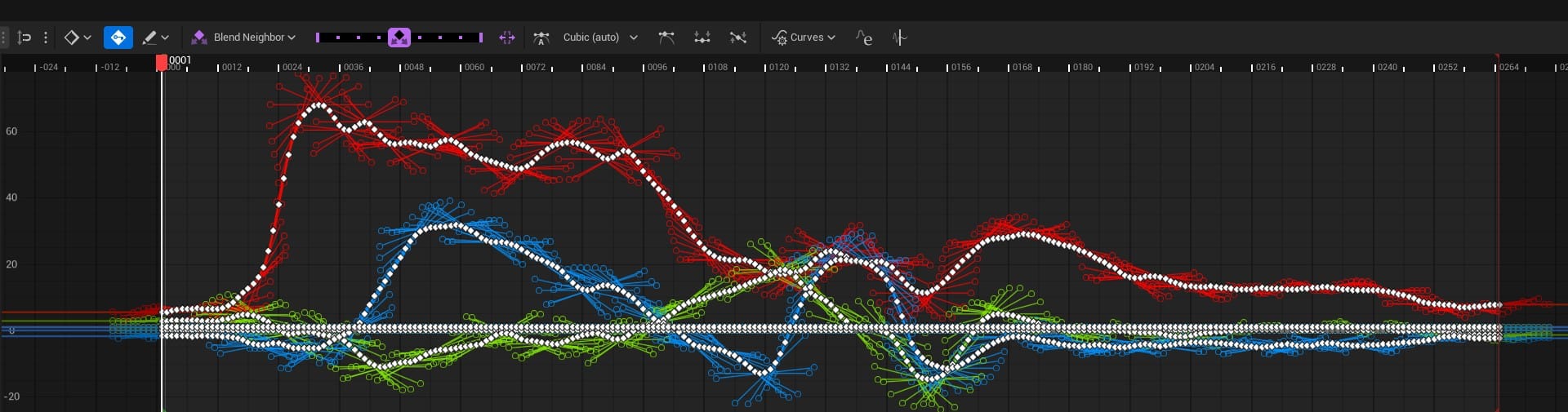
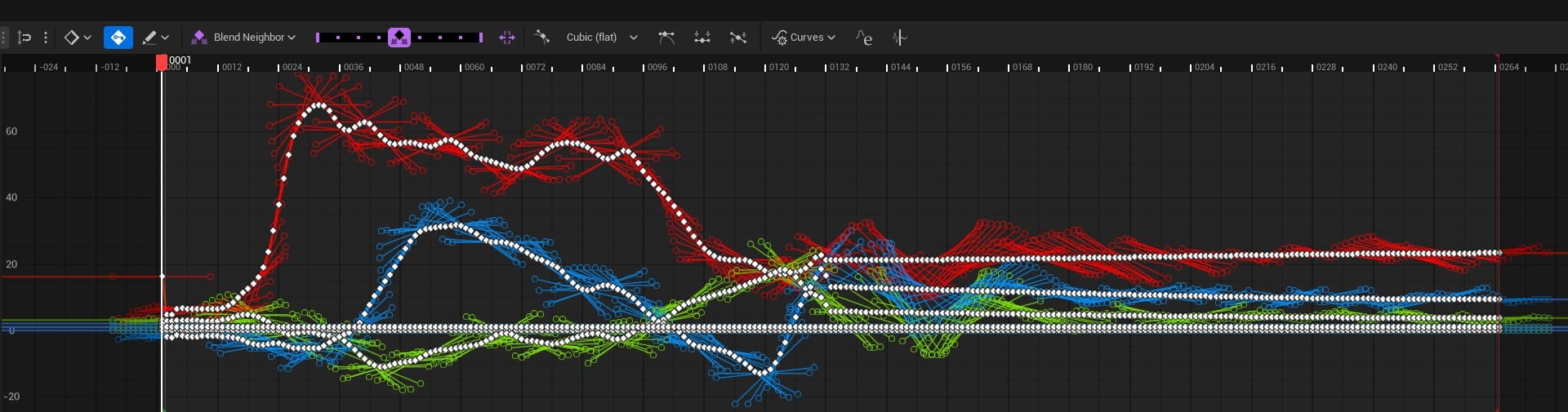
Left: Before Fourier Transform (FFT), Right: After
I couldn't figure out the exact reason for this, but I found that if I first applied Smart Reduce to thin out the keyframes, FFT worked as I expected it to:
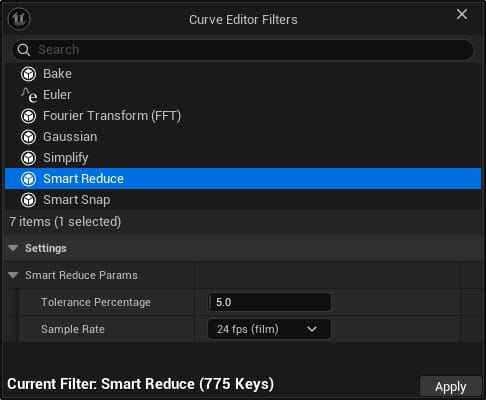
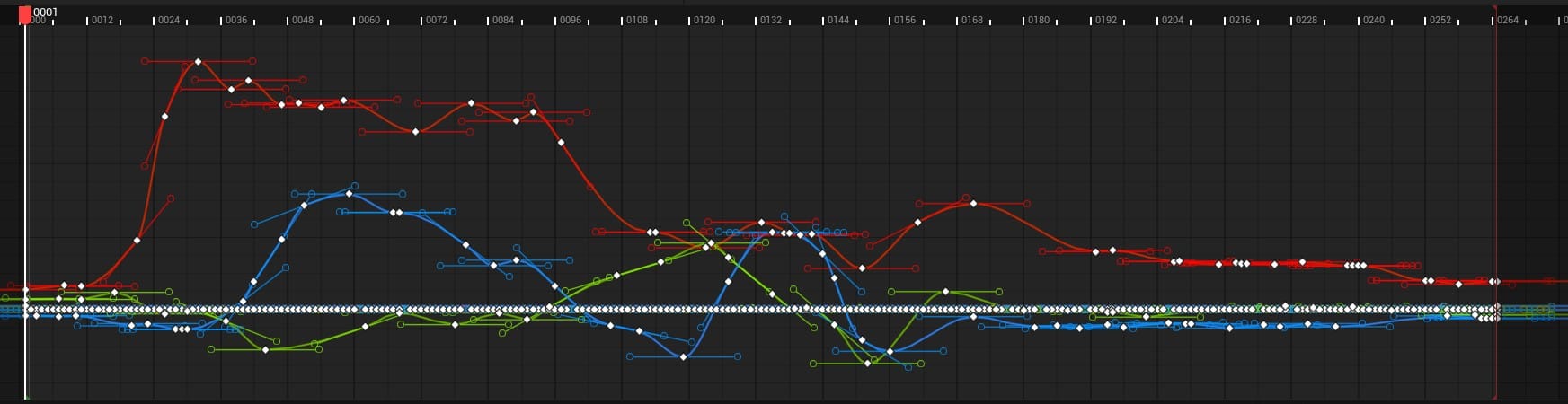
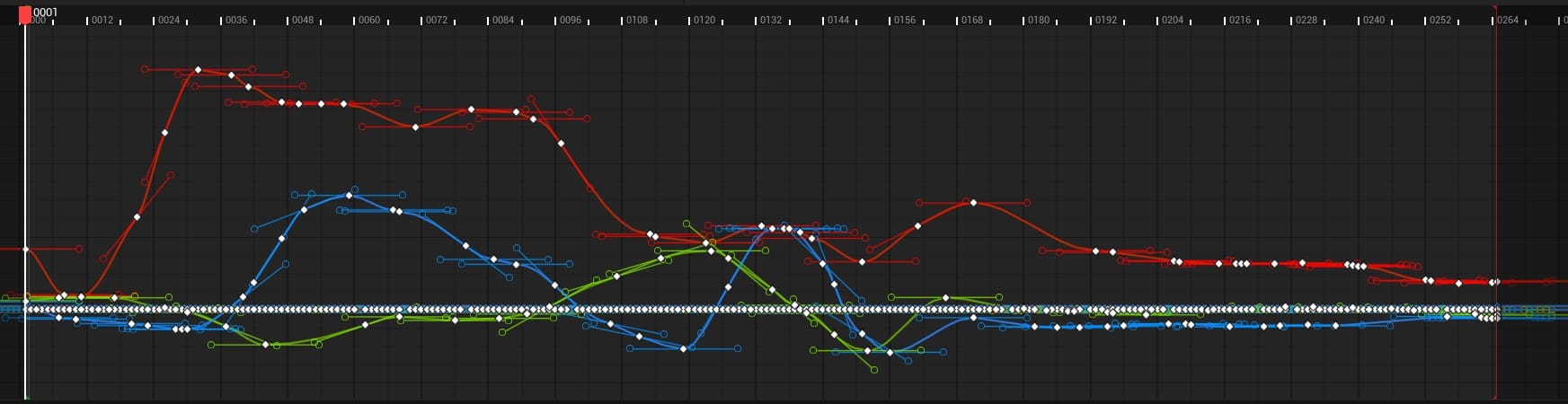
The Fourier Transform helped clean up the jittery movement, but it would also sometimes dumb down the animation. Whenever I noticed a critical part of the performance had lost its impact, I could overlay the curve from the Base layer and the curve from the filtered layer and push the key frames at those spots to reclaim that movement.
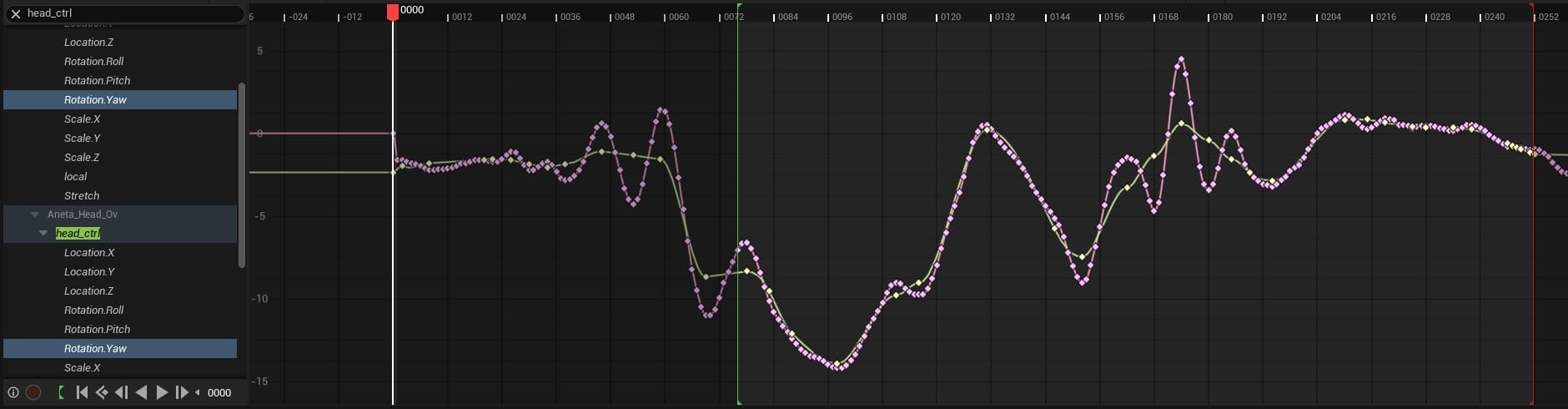
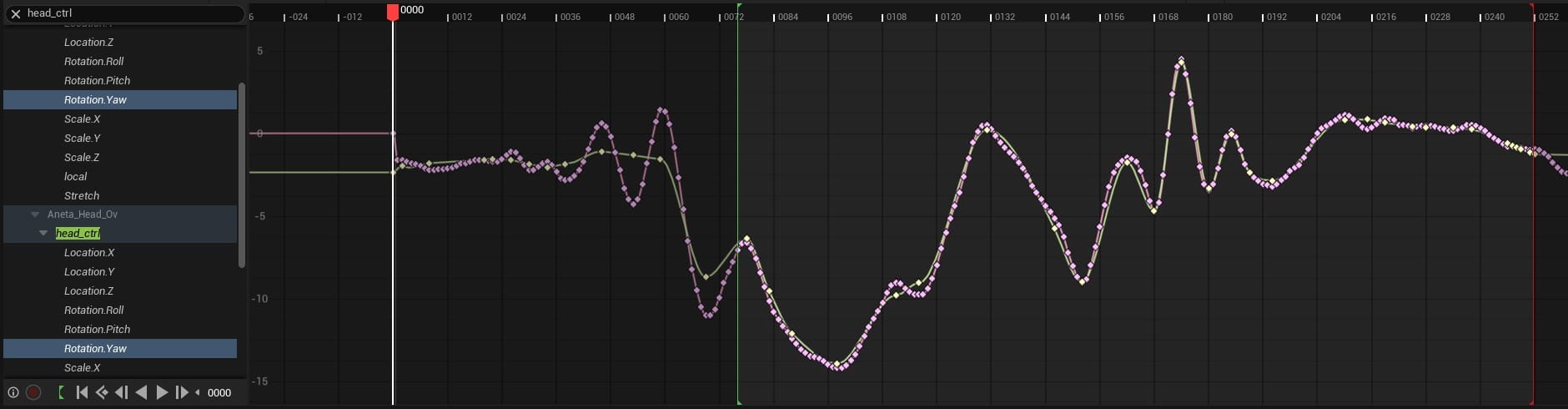
The Z-axis rotation curve for the Head control. Pink: original mocap data, Yellow: the filtered layer.
To give a sense of how far this initial process got me, here is a version of the shot with only the FFT-applied Override layers and the actors positioned in roughly the correct spots:
Miles to go.
Manual Adjustments
Next, I used Additive layers to fix other low-hanging fruit, like pulling the guy's chin out of his neck and adjusting the lady's hands to actually land on his shoulders and his face.
At that point, the only way to improve the animation was to open the reference video again and finesse the animation a few frames at a time. As usual, this step was by far the most time consuming. Since the facial movement was minimal, I keyed that by hand. The base-layer mocap data for the upper body and head was somewhat useful. This made it into the final shot, heavily augmented by Additive layers. But, for the most difficult areas, the hands and fingers, the mocap provided no help. I ended up completely redoing everything.
With the capture and cleanup process ironed out, I estimate that the total time from shooting the performance to applying the Fourier Transform would be roughly an hour. Did it save me more than an hour of animation? Possibly, but overall it was a small percentage of the work. Getting the animation to look halfway decent took days, and most of that was spent on the hands and fingers.
This is where I ended up, and there are still plenty of improvements I could make:
This was a fun experiment, but my takeaway is that the low-end AI motion capture solutions wouldn't save enough time to make them worth it for this project. I think they could be viable for a previz workflow, when nuanced animation isn't as necessary.
MoveAI has an "Enterprise" pricing tier that allows for multiple-camera setups, which means higher quality data, and it can apparently capture multiple actors simultaneously. They don't list the price on their website, so I don't know how it would compare to an optical motion capture studio, in terms of cost and quality. They do offer a one-month trial that costs about $1,000 and allows for roughly 15-minutes of processed footage, but only for a single actor. So, my guess is that the full enterprise version is some multiple of that.
Since I don't plan on animating this movie by hand, I think I'm stuck, for now. I'll keep an eye out for new developments in the low-end AI mocap arena, or maybe I'll manage to sneak a couple of actors into a proper studio some day soon.
Meanwhile, I'll explore other ways to develop the world and characters of Sub/Object.