.FBX .USD .ABC .MDD .OBJ
Lately I've spent a lot of time in Marvelous Designer simulating clothing. Some of the simulations were for promotional images I used on the short movie page. Since these were still images, the workflow was simple. The MetaHumans aren't animated, they're posed and frozen in place. All I needed was to simulate the clothing on that one pose and export a Static Mesh to Unreal Engine, where I do the actual image renders.

But, I've also been sending animated simulations from Marvelous to Unreal Engine. Instead of a Static Mesh, I need to export a Geometry Cache.
With this workflow, I encountered an unexpected problem with the Materials.
When I designed the outfits, my idea was to give each clothing piece its own Material so they wouldn't have to share UV space. For example, an outfit with a T-shirt and jeans would be one mesh with two Material slots. That way each piece could use the full UV square and have a higher texture resolution. This seemed simpler than using UDIMs and virtual textures in Unreal Engine.
Sometimes I would go a step further and break a single piece into two Material slots, like separating the hems and collar from the main part of the shirt. In this case, the two Materials shared UV space, but separating them made things easier in Substance Painter, where I created the textures for the clothes.
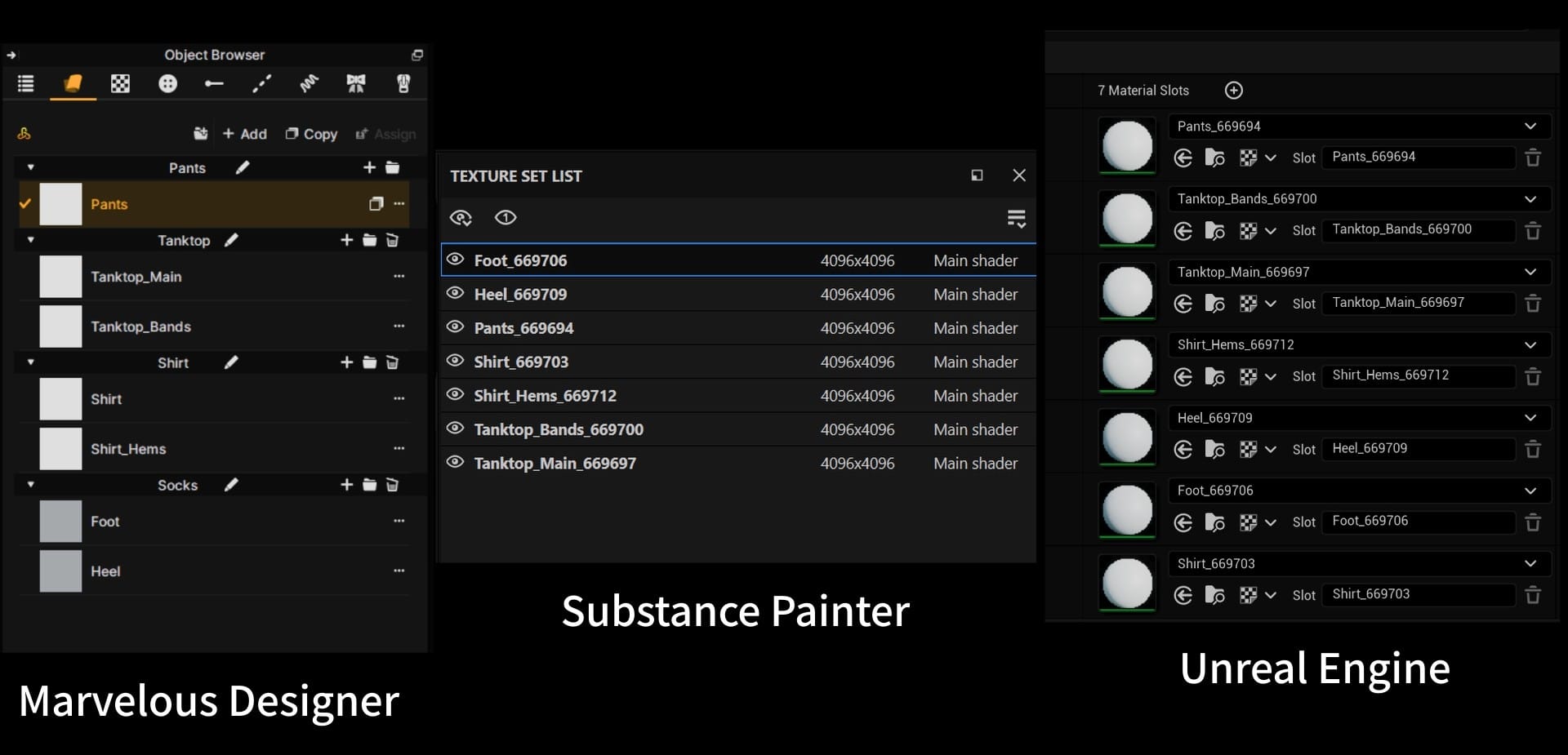
This is how the Material slots look in Marvelous Designer (where they are called "Fabrics"), Substance Painter (called "Texture Sets"), and Unreal Engine:
Using an FBX file, I can send a Static Mesh from Marvelous to Substance or Unreal, and those Material slots will import properly.
Unfortunately, I can't send an animation cache with FBX. To send an animated clothing simulation, I need to send a Geometry Cache, which requires a different file standard.
First, I tried the Marvelous Designer LiveSync plugin, which sends assets directly between MD and UE, without needing to export/import. The cloth simulation was fine, but all the Materials had been collapsed into a single slot:

Next, I tried exporting a USD file manually from Marvelous to Unreal, but this had the same problem. So did the Alembic (ABC) file format.
After digging around online, I found a thread on the Unreal Engine forums that suggested that Alembic files could contain multiple Material slots, as long as a "Face Set" for each Material was included in the Alembic export.
Face Sets
Now my quest was to figure out how to add Face Sets to Alembic exports. As far as I can tell, Marvelous Designer can't do it. However, it can be done in Blender, in Sculpting mode.
I used FBX to import a Static Mesh in Blender. In Sculpting mode, there is an option to create Face Sets based on the Materials assigned to the mesh. Then, I imported an Alembic cache with the Mesh Sequence Cache Modifier.
However, I quickly learned that Face Sets cannot be applied to an Alembic cache in Blender. The Alembic format overwrites most data and gives the entire mesh one Face Set. So, I was stuck again.
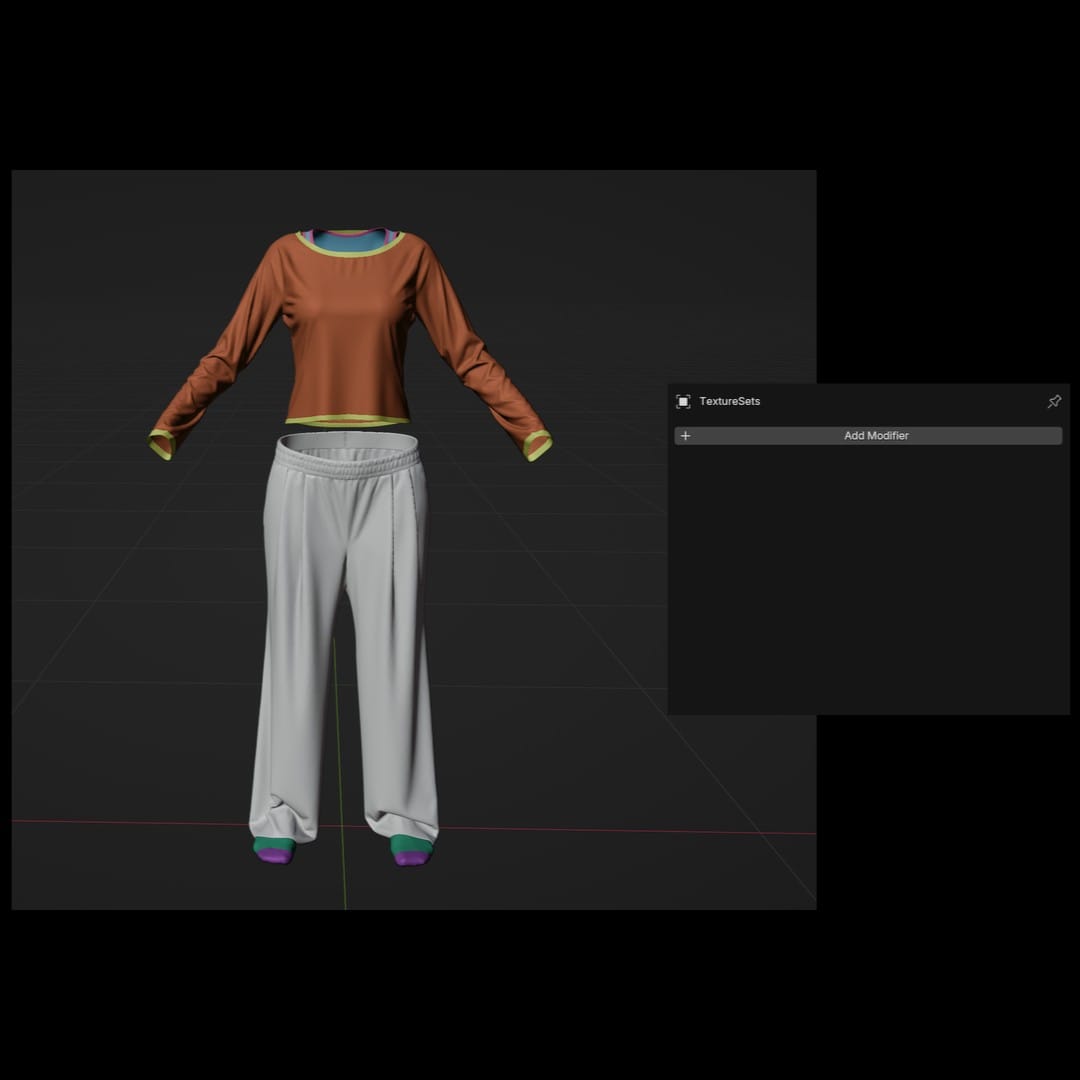
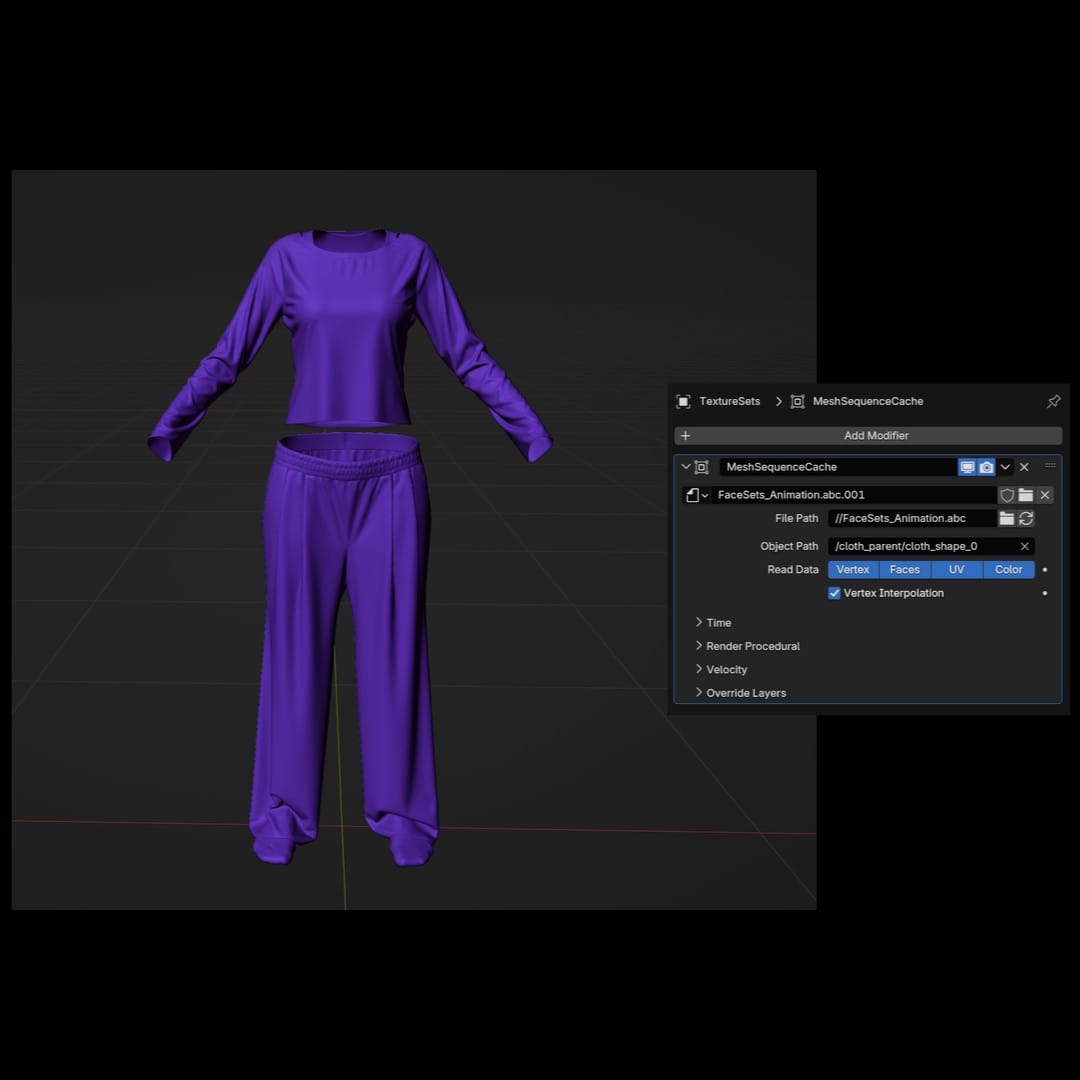
Left: Each Face Set has its own color. Right: Face Sets overwritten by the Alembic cache.
I went back to the drawing board and looked at the animation cache export options in Marvelous, and found yet another file format: MDD. And, in the Blender documentation for the Mesh Sequence Cache Modifier, I noticed this:
Files other than Alembic or USD, like MDD and PC2 files, can be loaded using the Mesh Cache modifier.
Ah, yes, the Mesh Sequence Cache Modifier and the Mesh Cache Modifier. Two different things. Okay.
I wasn't optimistic, but I decided to export a MDD from Marvelous and see how it worked in Blender. The MDD file exported along with an OBJ file (the OBJ provides the 3D mesh, the MDD provides the animation).
I imported the OBJ in Blender, applied the Face Sets, and when I applied the animation via the MDD file, the Face Sets remained!
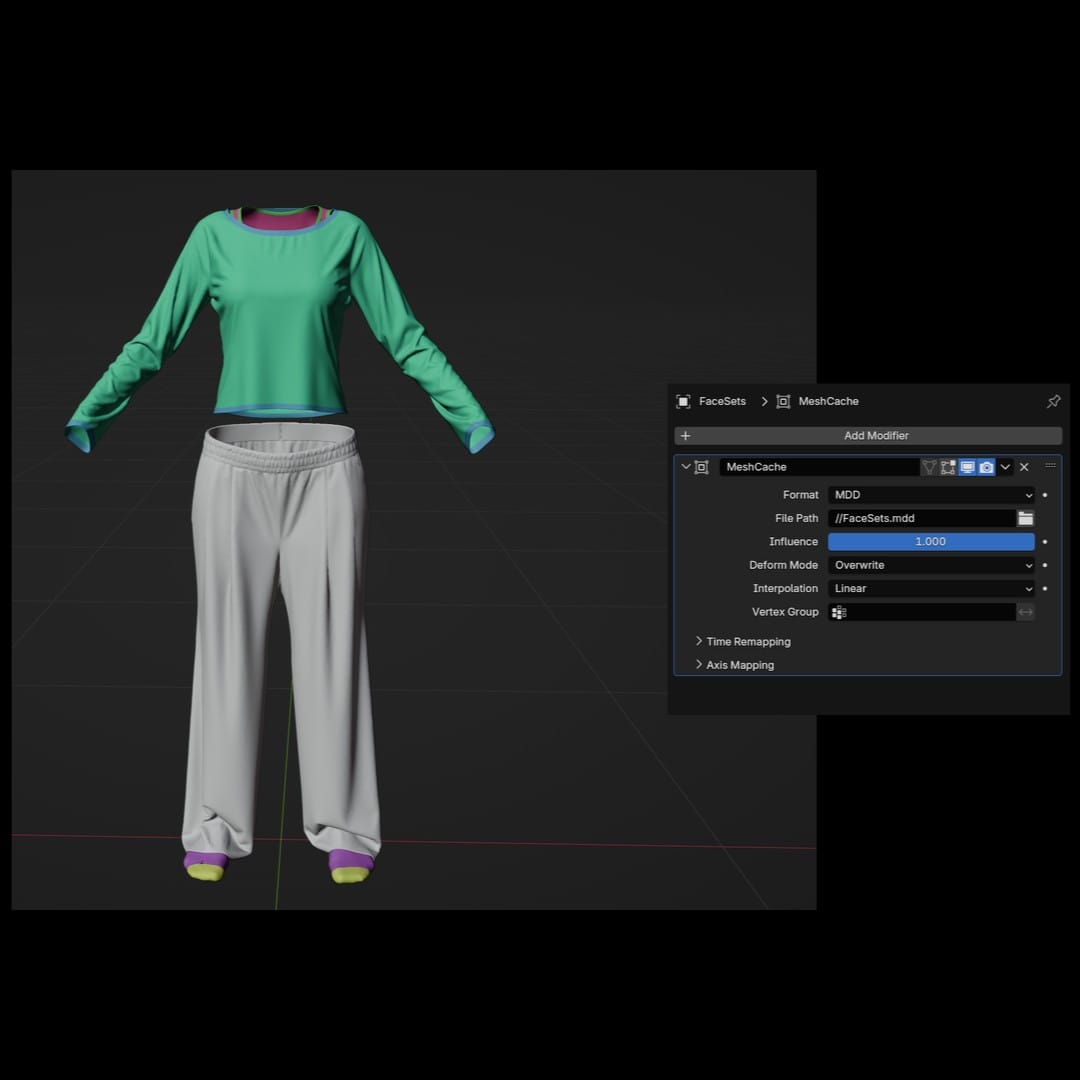
Now, I could finally export an Alembic cache from Blender with the Face Sets included, import it in UE, and get all my Material slots along with it.

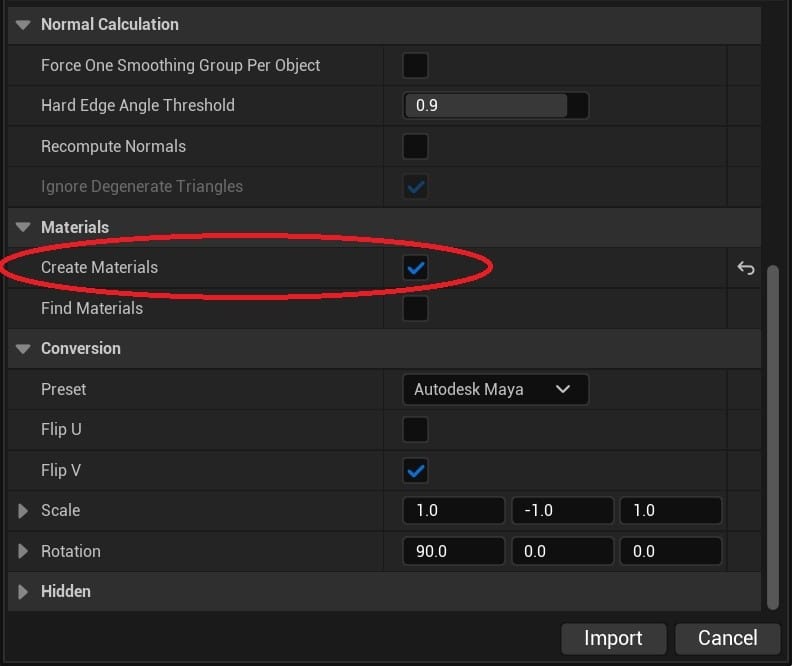
Left: Blender export. Right: Unreal Engine import.
.PITA
This is an example of the tedious problem solving involved in 3D work. Part of the problem is my lack of formal education. I'm fumbling around for solutions, unsure if my methods are sound or totally inefficient. Fortunately, finding a solution is always satisfying; it helps me stay motivated.
However, pouring hours into this kind of technical trial and error does make me feel distant from the creative process. Troubleshooting involves its own kind of creativity, but I prefer to spend time on the stories and the characters, dreaming up what they do and say.
I could give up on the movie and write a short story instead, but I don't think I have the aptitude for that. And, for whatever reason, I feel that Aneta and Anders need to be born out of images and sound.